Vercel Eve: A Primer
Notes from building a quick demo agent on Vercel Eve: initializing a project, the file layout, the dev TUI, tools and skills, scheduling, channels, deployment, and how it builds on Vercel's stack.
RAG is the hello world of agents, so naturally that’s what I ended up building in order to play around with Eve: Ask HackerNews searches HackerNews and answers from what it finds.
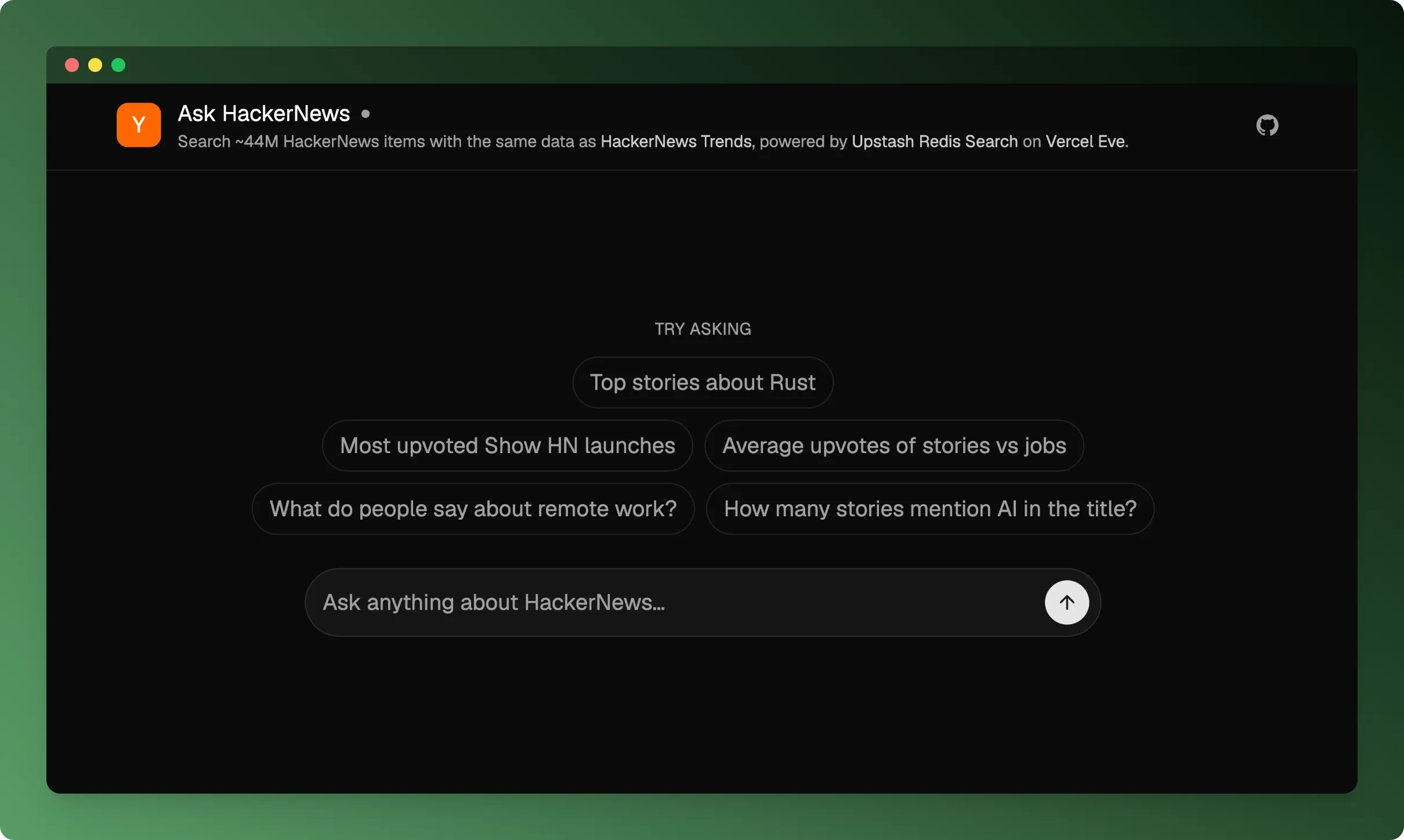
Vercel just released Eve, their framework for building agents:
The pitch is “like Next.js for web apps, but for agents”: Markdown for instructions and skills, TypeScript for tools, durable by default. This post is about the framework rather than the Ask HackerNews app: what it is like to build, schedule, and ship an agent with it.
Initializing a project
Eve is filesystem-first: you scaffold a project, then add capabilities as files
under agent/. Initialize a pure agent, one you call over HTTP, with:
npx eve@latest init my-agentTo get a Next.js app along with the agent, add --channel-web-nextjs:
npx eve@latest init my-agent --channel-web-nextjsSee the Next.js and Eve guide for how the two fit together.
Where things live
A minimal agent is two files: agent/agent.ts for runtime config and
agent/instructions.md for the system prompt.
// agent/agent.ts
import { openai } from "@ai-sdk/openai";
import { defineAgent } from "eve";

export default defineAgent({
  model: openai("gpt-5.4-mini"),
});
From there, each kind of capability has its own place on disk:
agent/
  agent.ts          # model + runtime config
  instructions.md   # the always-on system prompt
  tools/            # one TypeScript file per tool
  skills/           # load-on-demand markdown procedures
  connections/      # MCP / OpenAPI connections
  channels/         # where the agent is reachable (HTTP, Slack, ...)
  lib/              # shared code your tools import
app/                # Next.js chat UI (with --channel-web-nextjs)
next.config.ts      # withEve(...)
Running eve dev
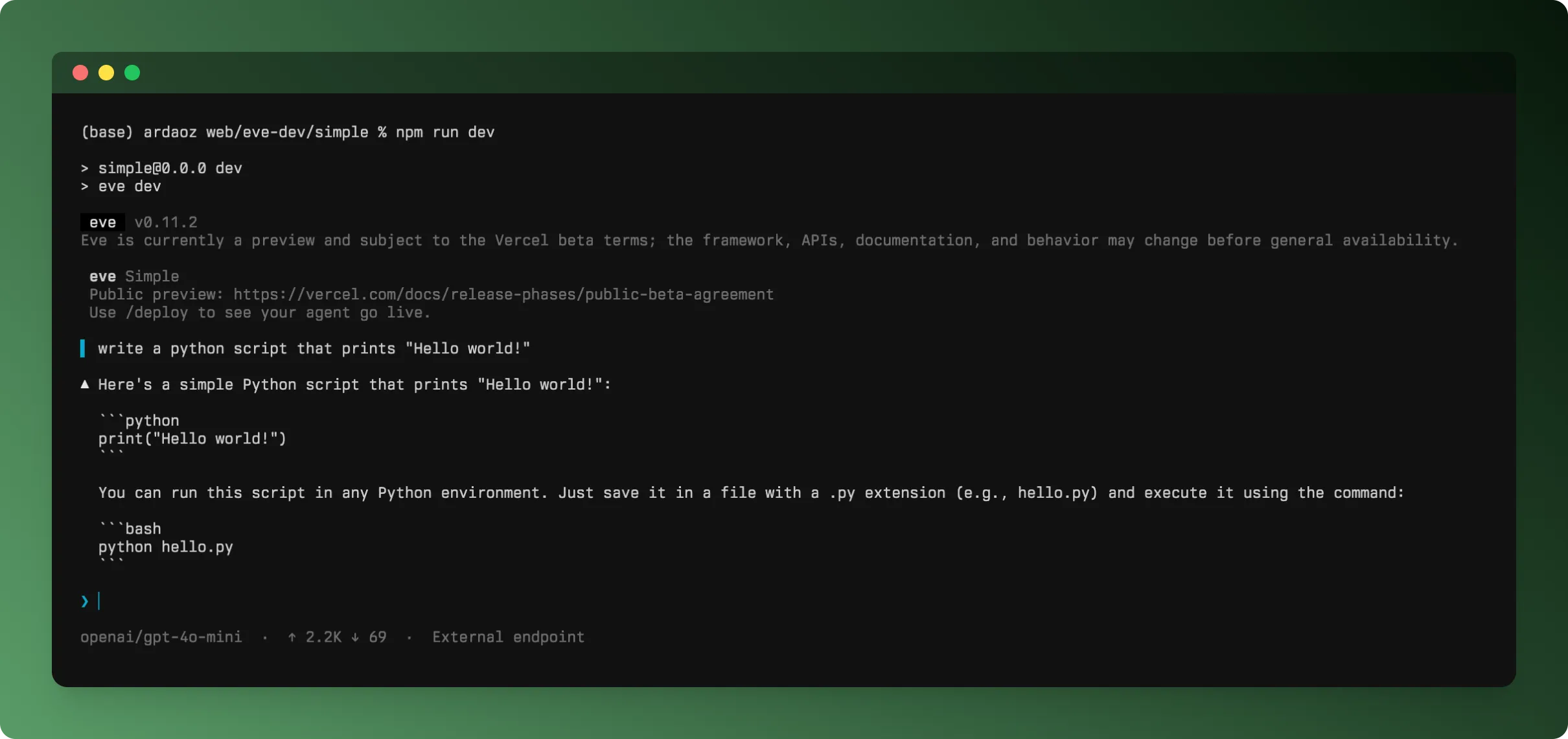
eve dev runs the agent locally with an interactive
terminal UI. You type a message and watch
the loop: tool calls, results, reasoning, the reply.
Empowering the agent: tools, skills, and connections
A tool is a typed action. The filename becomes the tool name.
// agent/tools/get_weather.ts
import { defineTool } from "eve/tools";
import { z } from "zod";

export default defineTool({
  description: "Get the current weather for a city.",
  inputSchema: z.object({ city: z.string() }),
  async execute({ city }) { /* … */ },
});
If you have used the AI SDK, this will look very familiar; it mirrors how you define tools there.
Skills live as markdown files under agent/skills/.
Eve pulls one into the model’s context only when a task calls for it.
For external systems there are connections. MCP is supported, and there is also
defineOpenAPIConnection: give it an OpenAPI
document and Eve turns each operation into a tool, handling auth so the model never
sees your tokens.
import { defineOpenAPIConnection } from "eve/connections";

export default defineOpenAPIConnection({
  url: "https://api.example.com/openapi.json",
  // auth handled by Eve; the model just sees the operations
});
I had built something similar before, so it was good to see this as a built-in.
There is an experimental
codeMode flag too.
Instead of separate tool calls, the model writes JavaScript that calls the tools
in the sandbox. The idea comes from Cloudflare’s
Code Mode; I had tried a version of it in
spec2tools’ code mode on top
of pydantic/monty. It is experimental in Eve,
but worth watching.
Periodically running the agent: schedules
Eve agents can run on a schedule, not only in response to a request.
Lately I keep hearing about loops and schedules as something of a hidden gem. Just today I listened to Boris Cherny, the creator of Claude Code, talk about running dozens of them to babysit his PRs, fix flaky CI, and cluster his feedback. I plan to lean on them more in my own work, and Eve should make that easier.
Communicating with the agent: channels
Every Eve app exposes an HTTP channel, and you can add platform channels: Slack, Discord, Telegram, and a web chat. The same agent is reachable from each one.
The snippet below is close to the channel config Eve scaffolds by default.
localDev() opens the routes on localhost and vercelOidc() admits your Vercel
deployments; the scaffold’s third entry, placeholderAuth(), blocks every other
request in production. In our app we changed only that last one to none(), so the
deployed agent is publicly accessible.
// agent/channels/eve.ts
import { eveChannel } from "eve/channels/eve";
import { localDev, vercelOidc, none } from "eve/channels/auth";

export default eveChannel({ auth: [localDev(), vercelOidc(), none()] });
Deploying the agent to Vercel
Deploying is just like deploying any other Vercel project. Just run:
vercelIf you initialize Eve as a pure agent (without a Next.js app) and open it, the page shows you how to connect to the agent with the TUI:
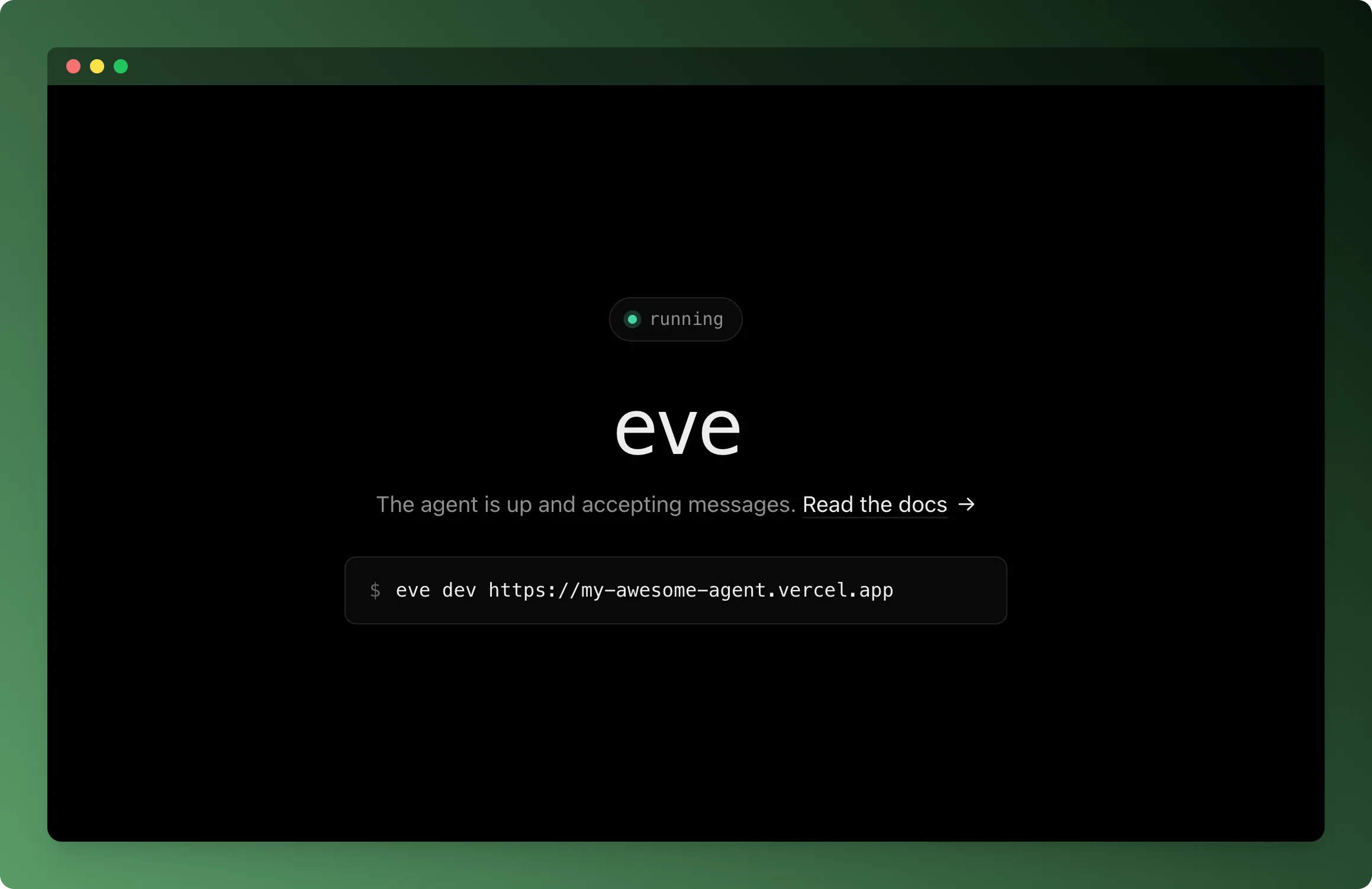
A small but nice touch: the moment it is live, the page itself tells you how to reach the agent, with nothing to dig for. The rest of the setup was just as low-friction.
You may want to check the auth and route protection page if you are going to deploy agents to production.
Observability
Once the agent is deployed, you get a dashboard for its runs.
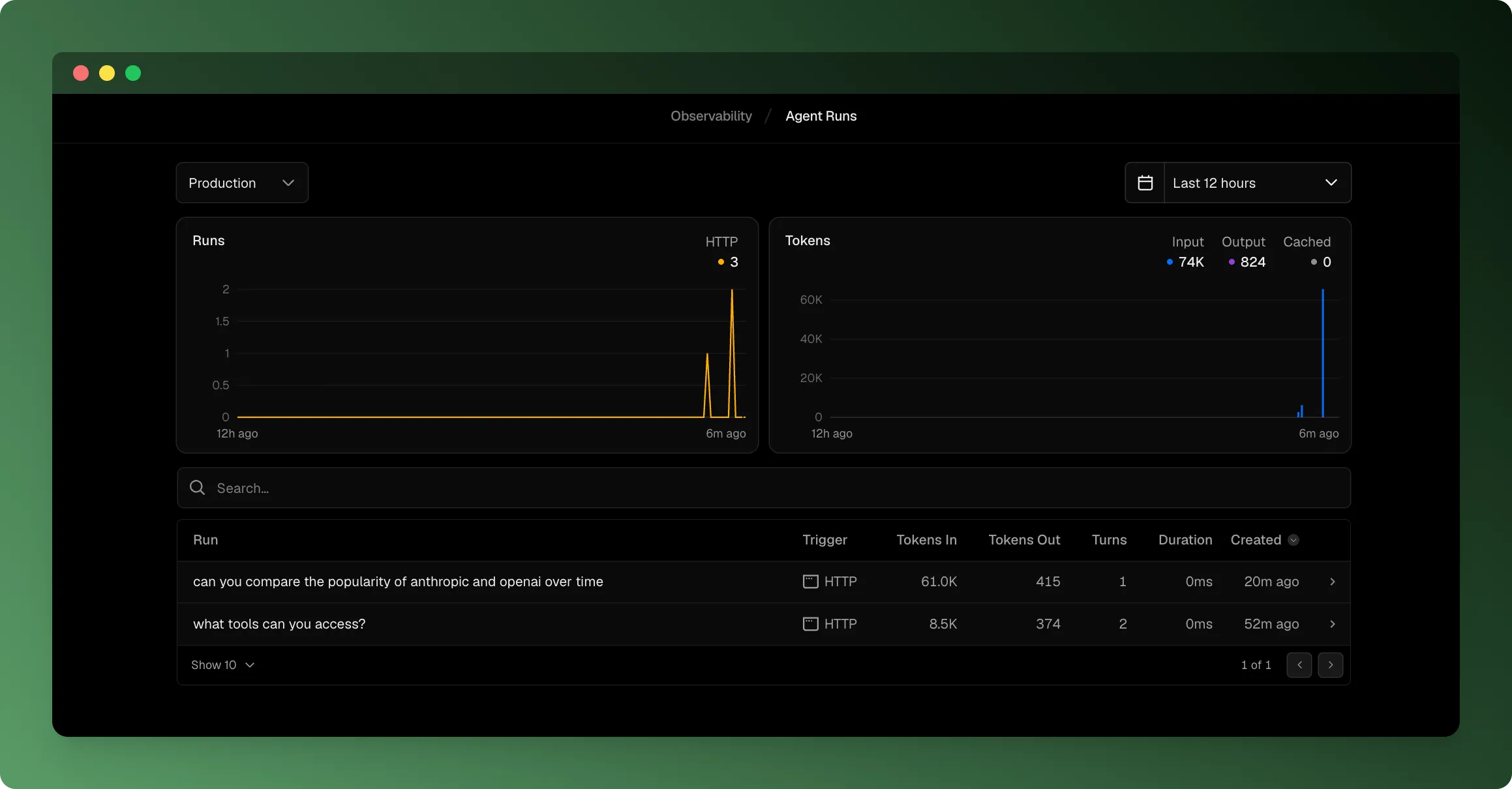
For debugging a single run it does the job: you can open a run and follow what the agent did. What I missed was the wider view. As far as I could tell there is no way to see trends across runs, such as how often a given tool fails over time. It is good for one run at a time, less so for spotting patterns. Hopefully that side fills in.
The Agent Stack
I didn’t have to piece this together myself. Vercel frames it directly: they call their agent building blocks “the Agent Stack”:
The post groups the building blocks by the job they do. Here is how each one shows up in an Eve project:
Connect to models
- AI SDK: the model loop, tool calling, and the terminal UI. Eve builds on the AgentHarness added in AI SDK v7, so many of its settings carry over as Eve options, including skills, instructions, and hooks.
- AI Gateway: model access and routing. The default model goes through the gateway.
Execute complex workflows
- Workflow SDK: durable, resumable sessions on Vercel Workflows.
- Vercel Sandbox: agent code runs in a
Sandbox, which is also where
codeModeexecutes.
Connect to data and tools
- Vercel Connect: the credential side of connecting to external systems. Rather than keeping long-lived API keys in env vars, you register a connector and request short-lived, scoped tokens at runtime, so the agent can act on a service like Slack or GitHub without ever handling the secret itself.
- Chat SDK: the platform channels (Slack, Discord, Telegram, and web chat) run on Chat SDK, a unified SDK for shipping a bot to every chat platform from one codebase.
Conclusion
I came away liking Eve a lot. Setup was quick and I ran into few problems.
What stood out was where my time went: into what the agent should do, not the infrastructure around it. Connecting to services, running untrusted code somewhere safe, putting the agent on a schedule are usually the parts you dread, and here they were already solved.
One detail I appreciated: Eve ships its docs inside node_modules. The framework
only came out today, but a coding agent working in the project can read those docs
locally and start writing tools right away, without me pointing it at a website.
I have only tried a small slice of Eve so far, but it was enough to want to keep
going. The full agent is on GitHub if you want to poke around:
upstash/eve-example.